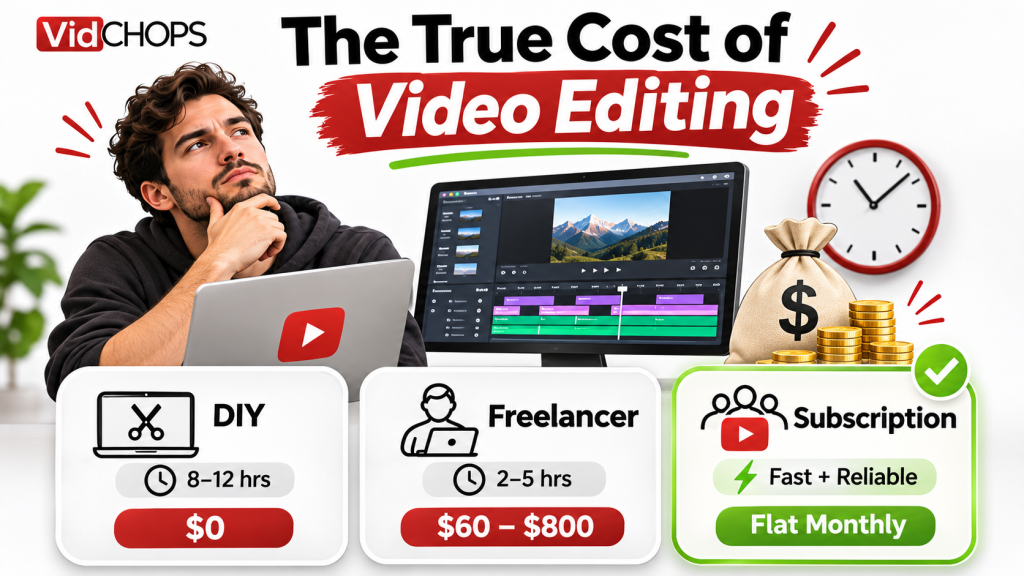
Hiring a reliable YouTube video editor can be harder than it looks. From finding the right freelance video editor and understanding video editing costs to managing deadlines, revisions, and communication, choosing the wrong editor can cost you valuable time and money. Whether you’re a content creator, YouTuber, or business owner looking to outsource video editing, having the right hiring process makes all the difference. In this guide, we’ll show you how to hire a video editor, compare freelance editors and video editing services, evaluate editing skills, and build a reliable workflow that delivers consistent, high-quality videos without the stress of missed deadlines or endless revisions.
Three weeks in. The first video came back great. The second one came back late but good. The third one came back with the same mistakes you’d already flagged. Then you send a revision request on a Thursday and you get a thumbs up emoji. And then nothing.
You follow up Monday. Nothing. Wednesday, you see they’ve posted on Instagram. You send a slightly sharper message. They reply: “Hey, so sorry, been swamped — I’ll get to it this week.”
They don’t get to it this week. And now you’re four weeks behind, you’ve paid a deposit, and you’re back to editing your own videos at 11pm.
If that’s happened to you, you’re not unlucky. You’re in the majority. And the reason it happens is almost never that the editor was lazy — it’s that you hired without a system for finding out, early and cheaply, whether they’d actually deliver.
This is the playbook for doing that properly. It comes from running an edit floor that’s shipped thousands of videos, and from watching what goes wrong when people hire on vibes.
Why editing relationships fail so predictably
Three structural reasons, and understanding them changes how you hire.
One: it’s a trust-heavy, asynchronous job with no shared office. Your editor is doing creative work you can’t supervise, on a deadline you can’t see, with feedback arriving in text. Every one of those gaps is a place a relationship can quietly die.
Two: the market has no quality floor. Anyone can call themselves a video editor. There’s no licence, no barrier, no standard. A portfolio can be three videos they spent a month on — which tells you nothing about whether they can do that every week for a year.
Three: you’re both bad at the same thing. Creators are bad at briefing. Editors are bad at flagging when a brief is unworkable. So you send vague instructions, they guess, you’re disappointed, they feel micromanaged, and the whole thing sours in a month.
The fix is process, not luck. You need a way to test capability before you commit, a brief that removes ambiguity, and a rhythm that catches problems in week one instead of month three.
What a video editor actually costs
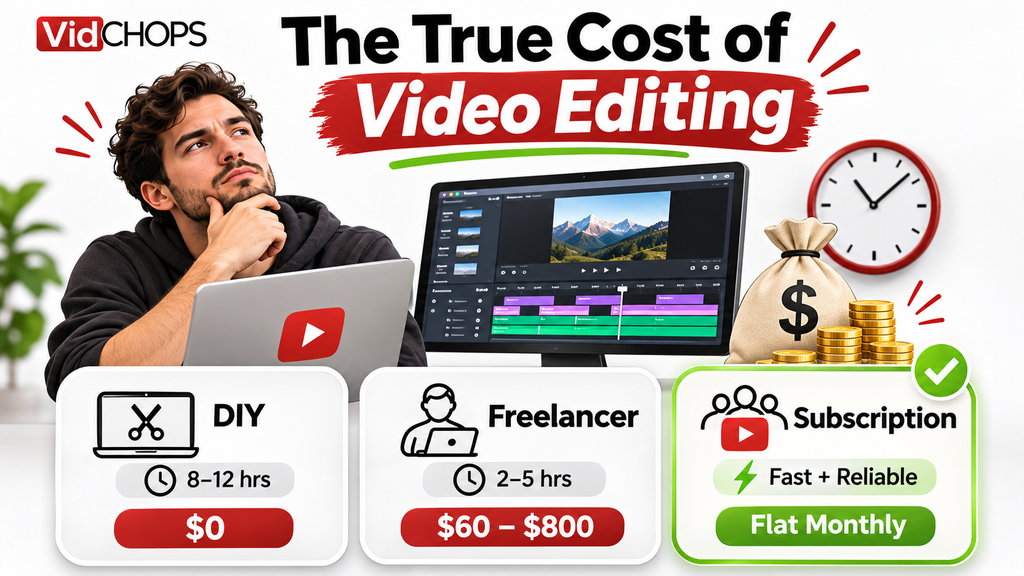
This is the table everyone wants and almost nobody publishes honestly, because the range is enormous and it depends entirely on what you’re counting.
| Option | Typical range | What you actually get | Source to verify |
| DIY | £0 / $0 cash | 6–12 hours per video of your time | Your own time tracking |
| Freelancer, entry level | ~25–60 per video | Variable quality, no process, no backup | Upwork posted rates — check current listings |
| Freelancer, experienced | ~75–250 per video | Good craft, still one person, still no backup | Upwork / Contra / Fiverr Pro current listings |
| Freelancer, specialist (retention editing) | ~300–800 per video | Genuinely strong craft, waits of weeks | Direct quotes; check portfolio channels |
| In-house editor | ~50k–75k/yr salary + overhead | Full control, full management burden | U.S. Bureau of Labor Statistics, Occupational Outlook Handbook: Film and Video Editors — check latest edition |
| Subscription service | Flat monthly, credit-based | Editor + process + revisions + turnaround SLA | VidChops plans — see pricing |
The chart that matters more than the cost table:
Chart: “Cost per usable video, including your own time”
| Option | Cash cost | Your hours | Cost at $100/hr of your time | True cost per video |
| DIY | $0 | 8 | $800 | ~$800 |
| Entry freelancer | $40 | 3 | $300 | ~$340 |
| Experienced freelancer | $150 | 2 | $200 | ~$350 |
| Subscription service | Flat rate | 0.5 | $50 | Flat rate + $50 |
This is a model, not research. Label it as a VidChops cost model and state the assumed hourly rate clearly so readers can substitute their own.
This is the argument that reframes the whole decision. If your time is worth $100 an hour, DIY editing is the most expensive option on the list. A $40 freelancer who needs three hours of your management and revisions isn’t cheap either. The cheapest option is the one that consumes the least of you.
The vetting checklist: nine things to establish before you pay anyone
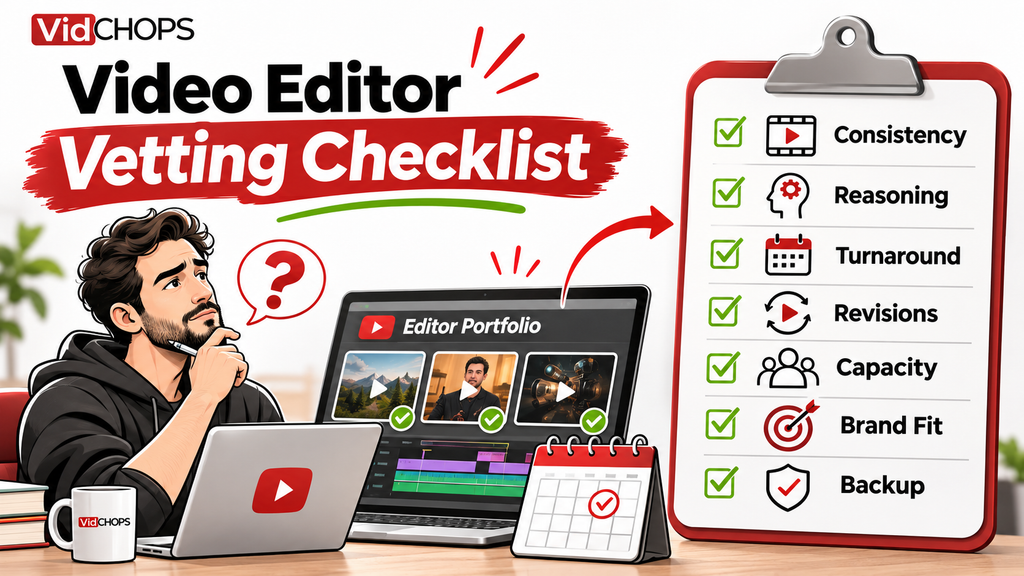
Run these in order. Any “no” is a reason to keep looking.
1. Can they show you three videos from the same channel, made six months apart? Anyone can produce one good video. Consistency over time is the only real signal.
2. Can they explain why they made a specific cut? Ask about a decision in their sample. “It felt right” means they’re guessing. “You’d been on one shot for eleven seconds and retention typically sags there” means they think about the job.
3. Do they ask you questions before quoting? An editor who quotes without asking about your footage volume, format, brand and deadline is quoting a number they made up.
4. What’s their actual turnaround, and what happens when they miss it? Get a specific number and a specific consequence. “Usually a few days” is not an answer.
5. How many revisions, and what counts as one? Unlimited revisions can be a trap — it often means unlimited rounds, each taking days. Get it defined.
6. Who is doing the work? If you’re talking to an agency or a service, confirm whether a named editor is assigned to you permanently or whether you’ll get whoever’s free.
7. What’s their capacity right now? An editor with four clients and one with fourteen will give you very different experiences. Ask directly.
8. Can they work with your existing template and brand? If they insist on their own style, and your channel has recognition, that’s a problem.
9. Do they have a backup? What happens when they get sick, go on holiday, or their laptop dies? Solo freelancers often have no answer, and that’s the most common cause of “ghosting” that isn’t actually ghosting.
The 7-day test
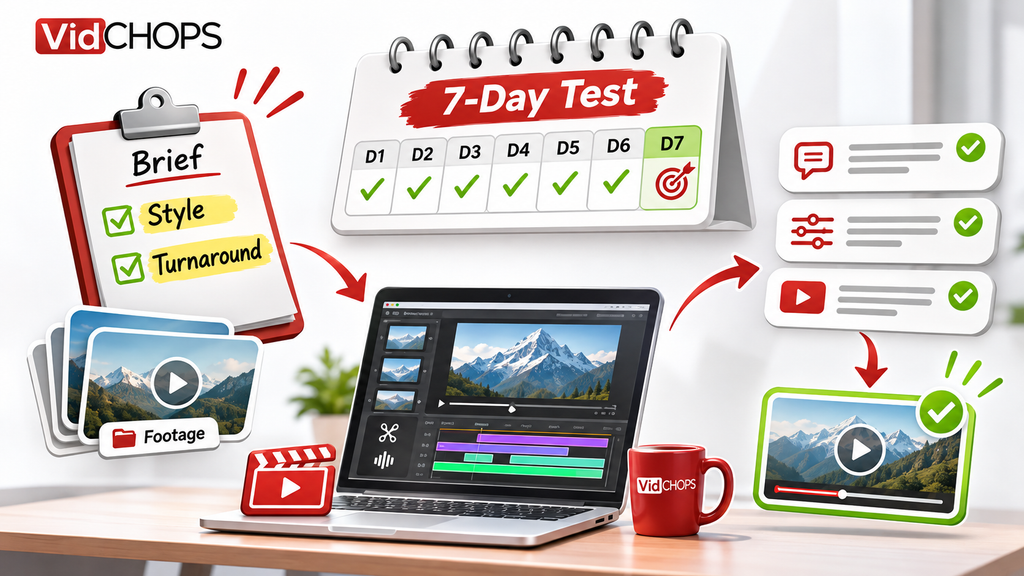
Never start with a retainer. Start with one video, on a compressed timeline, with a deliberately awkward brief.
Here’s the structure:
- Day 1: Send footage plus a written brief with two specific, slightly fiddly requirements — a brand element that must appear at a set time, and a cut you want handled a particular way.
- Day 2–3: Watch whether they ask a clarifying question. Editors who ask nothing either didn’t read it or won’t flag problems later. Both are bad.
- Day 4–5: First cut arrives. Judge it against the brief, not against your taste. Did they hit the two fiddly requirements?
- Day 6: Send one round of notes. How they handle feedback is the single best predictor of the whole relationship. Do they implement precisely, or do they implement their interpretation?
- Day 7: Decide.
One video tells you more than three interviews. And if it goes badly, you’ve lost a few hundred dollars instead of a quarter.
The brief that prevents most ghosting
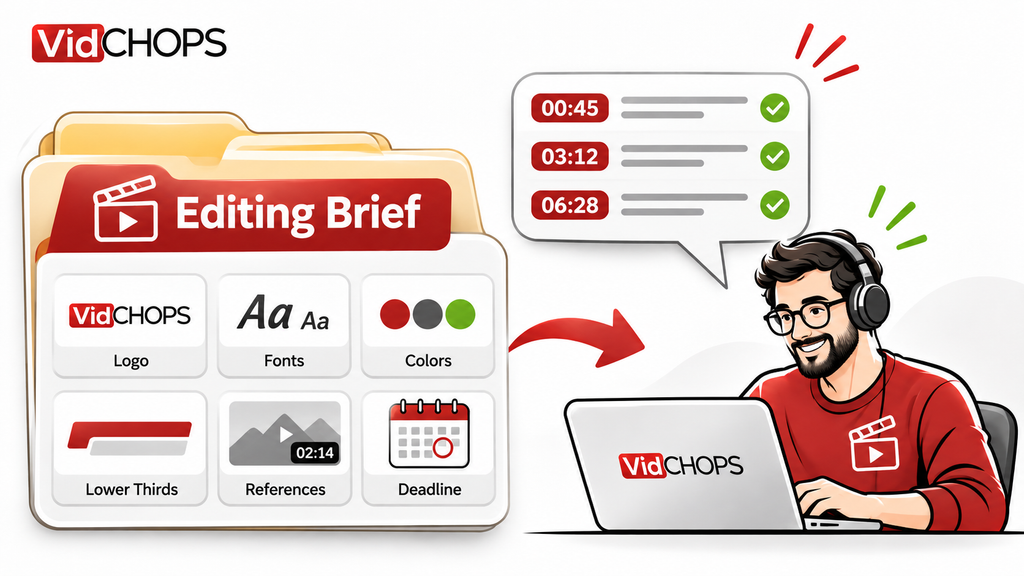
Most “ghosting” is actually avoidance. Your editor is stuck, doesn’t know what you want, is embarrassed to ask, and stops opening your messages.
A good brief removes that possibility. It needs:
- The finished video’s job. Not “edit this” — “this needs to get a business owner to book a call.” That single line changes every decision they make.
- Reference examples with timestamps. Not “make it punchy” — “see 0:42–1:10 in this video for the pacing I mean.”
- The two or three things that must not change. Your intro, your sign-off, a brand element.
- Your brand assets in one folder. Logo, fonts, colours, lower thirds.
- The deadline, stated as a date and time, not a duration.
- How you’ll give feedback. Timestamped comments in the portal, not a paragraph in WhatsApp.
And one rule that saves more relationships than anything else: give notes in one batch, never in a trickle. Three separate messages over two days is how you teach an editor to dread your name.
The honest caveats
I’d be doing exactly what I criticise if I pretended hiring was always the answer.
If you make fewer than one video a month, don’t hire anyone. The relationship won’t get enough reps to be worth the management overhead. Learn to edit, or use a service per-video.
If your videos are under five minutes and mostly talking-head, you might genuinely not need an editor. A capcut template and 45 minutes might do it. Hiring is for when the edit is complex enough that your time is better spent elsewhere.
Freelancers are not the villain here. Plenty are excellent, reliable, and worth every penny. The problem is that the market gives you no way to tell in advance — which is exactly why the 7-day test exists.
And a service isn’t automatically better. You’re trading control for reliability. If you want to be deeply involved in every creative decision, a dedicated freelancer you’ve trained is a better fit. Be honest about which person you are.
Where VidChops fits
Our founder Augie built this company specifically because of the problem in this post. He was a YouTuber who burned out — 300+ videos, 20 million views, and then he quit. As he puts it on our white-label page: “Maybe you have considered hiring an in-house editor (expensive), tried to manage a freelancer (not reliable), or maybe you even edit your videos yourself — I tried that too before burning out.”
So the model is built around the failure points above:
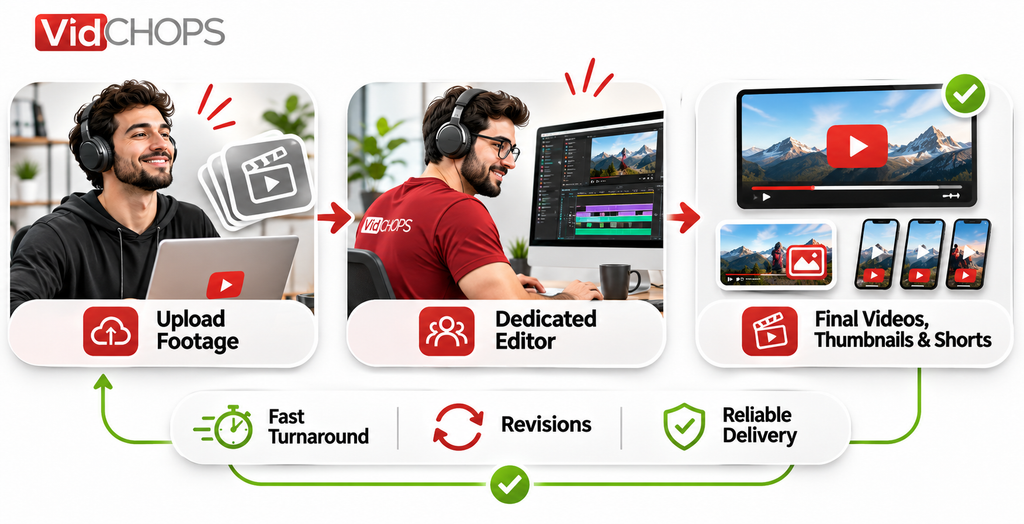
- Named editor, not a pool. You get a dedicated editor who learns your style, plus an account manager on our Pro plan.
- A defined turnaround, not a hope. 1–2 days on edits, 1 day on revisions.
- Revisions defined up front. Three per video on Weekly, unlimited on Pro.
- A portal, not a group chat. Submit requests, review cuts, leave timestamped comments in one place — which is the single easiest way to stop notes trickling in across three apps.
- No contract, cancel anytime. Which means the relationship has to keep earning itself.
- A 14-day money-back guarantee. If we don’t blow you away, you keep the work and get refunded.
We handle the edit, plus thumbnails and split-testing through YT Helper, plus repurposing into shorts — included in every plan. You film, you send footage, you get a finished video back.
If you want to know what the handoff actually looks like before you decide anything, read our free guide on getting the most out of working with your video editor — it’s written to be useful whether you hire us or not.
And if you’d rather just talk it through, book a call. If a freelancer is genuinely the better answer for your situation, we’ll say so.
FAQ
How much does a video editor cost for YouTube?
It ranges from about $25 per video for entry-level freelance work to several hundred for experienced specialists, with in-house editors costing a full salary plus overhead. The number that matters is cost per usable video including your own management time — which is often higher for cheap options than expensive ones.
How do I know if an editor is any good before hiring them?
Ask for three videos from the same channel, months apart, and ask them to explain one specific editing decision. Consistency plus reasoning is a far better signal than a polished showreel.
Should I hire a freelancer or an agency?
A freelancer gives you more control and lower cost, but no backup if they disappear. An agency or service gives you reliability and process at a higher price, and less creative control. Decide which of those two risks you’d rather carry.
Why do video editors ghost people?
Usually it isn’t malice — it’s being overloaded, stuck on an ambiguous brief, or embarrassed about a missed deadline. All three are preventable with better briefing and a shorter, clearer feedback loop.
How long should an editor take per video?
For a standard 10–20 minute talking-head business video, 2–4 working days is normal for a competent freelancer. Complex edits with heavy motion graphics run longer. Anyone quoting weeks for a simple edit either has a queue problem or is overcommitted.
Do I still need to be involved if I hire an editor?
Yes, at two points: briefing and notes. Everything else — the edit itself, exporting, uploading, thumbnails if you want — can come off your plate. Most of our clients spend under an hour a week on their channel.
Get your editor’s spot before the waitlist grows
If the reason you haven’t hired yet is that you don’t want to go through this process again, that’s exactly the problem we built for. Book a 15-minute consult and we’ll look at your footage, your volume and your deadlines — then tell you honestly whether we’re the right fit.